Confidence, out loud
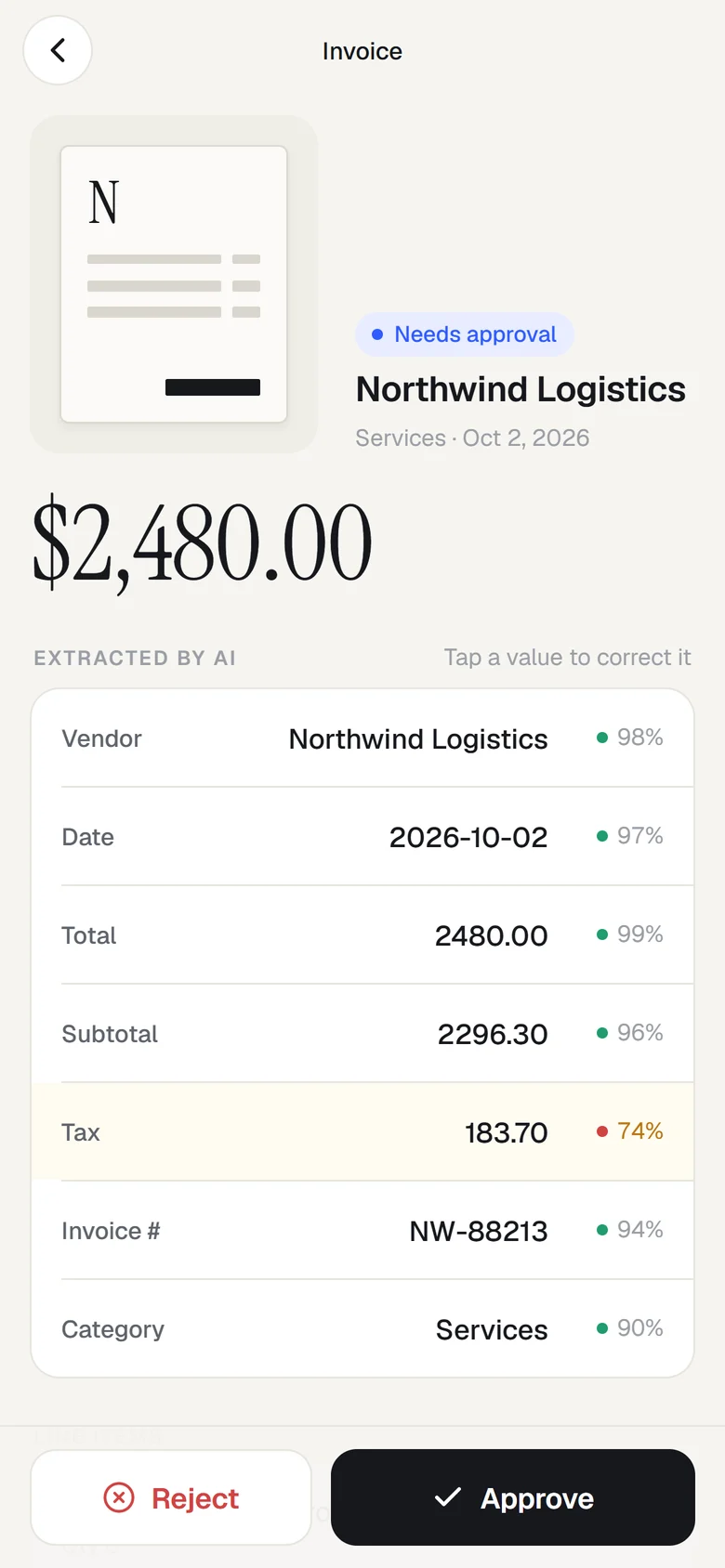
Every field shows how sure the model was. Anything under 80% is tinted and raises a check, so people spend their attention where it's needed instead of re-reading everything.

Case study 06 / 06 · Mobile app
Docpilot's mobile app. Snap a receipt or invoice, AI reads it in seconds, policy checks run on their own and approvers decide with one tap, from anywhere.
Docpilot handles invoices that arrive by email. But a lot of spending happens away from a desk: a taxi to a client, a hotel bill, a delivery note signed on site. Those papers end up crumpled in a wallet, typed in by hand weeks later, or lost.
And approvals stall for the same reason. The manager who needs to sign off is in a meeting, at an airport, on site. The bill waits until they're back at a laptop.
The phone captures, the AI reads, and the decisions stay in code, exactly the split that makes Docpilot auditable. Claude turns the photo into structured fields with a confidence score for each one. Plain functions then check the maths, look for duplicates, flag shaky readings and apply the spend policy before anyone is asked to decide.
Camera with a document frame, or a photo from the library.
Claude vision fills a strict schema with per-field confidence.
Maths, duplicates, confidence, date window, spend limit.
Clean and under $75: auto-approved. Otherwise, to a person.
Fix any field with a tap, then approve or reject.
Approved items flow on to accounting.
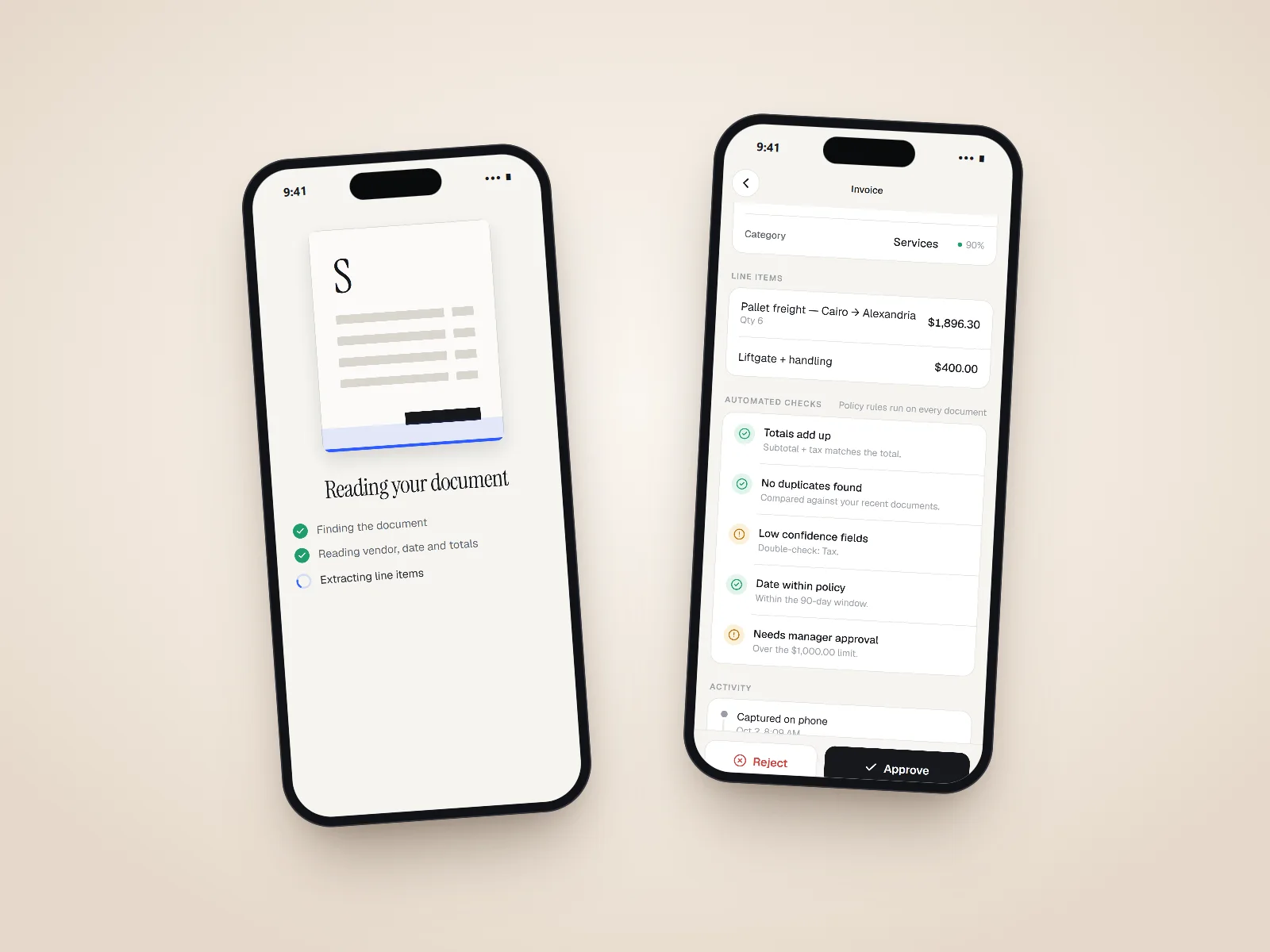
The AI says what it read and how sure it is. Code decides what happens next.
The visual direction is "clean paper": warm off-white, one confident blue, big serif numbers and nothing else competing with the document. It should feel like a calm finance tool a company would trust, not a gadget.
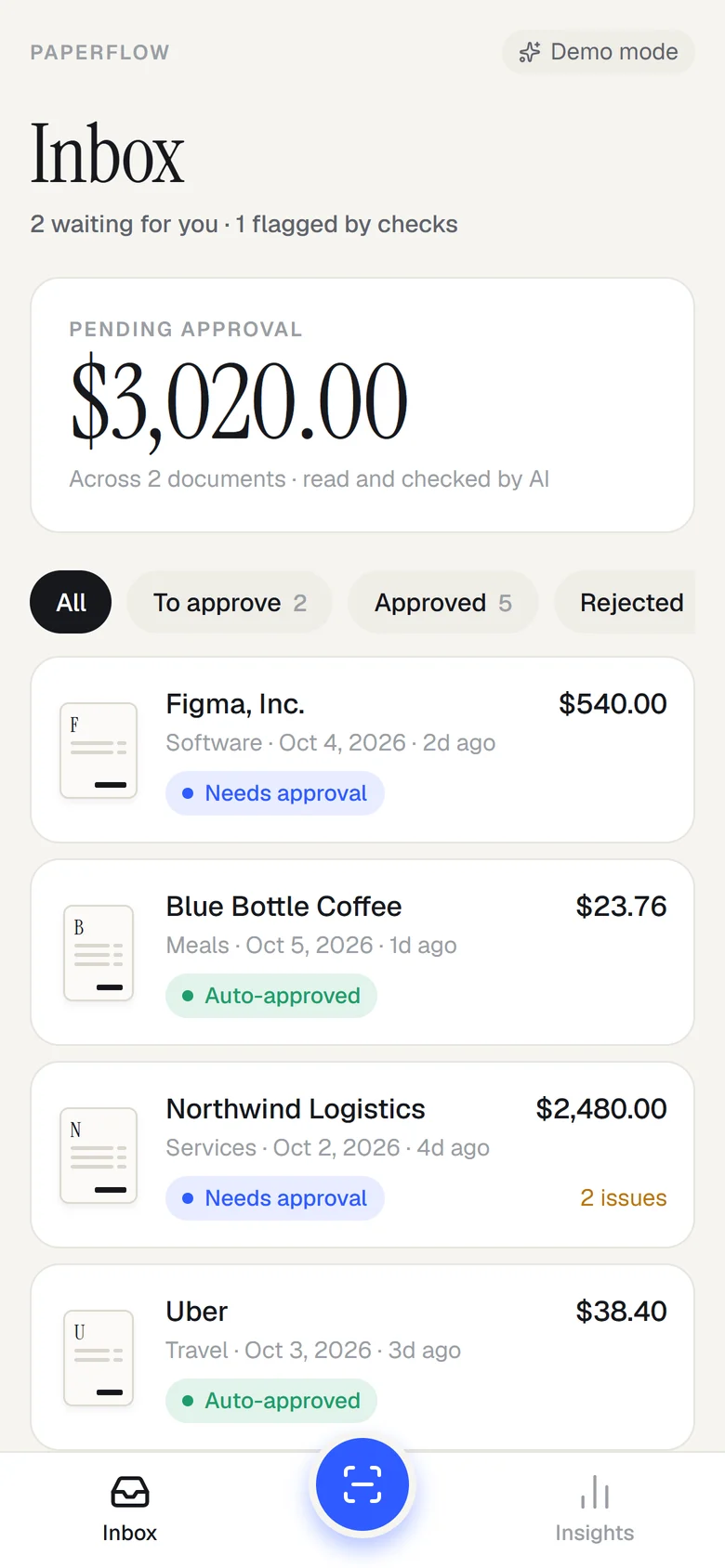
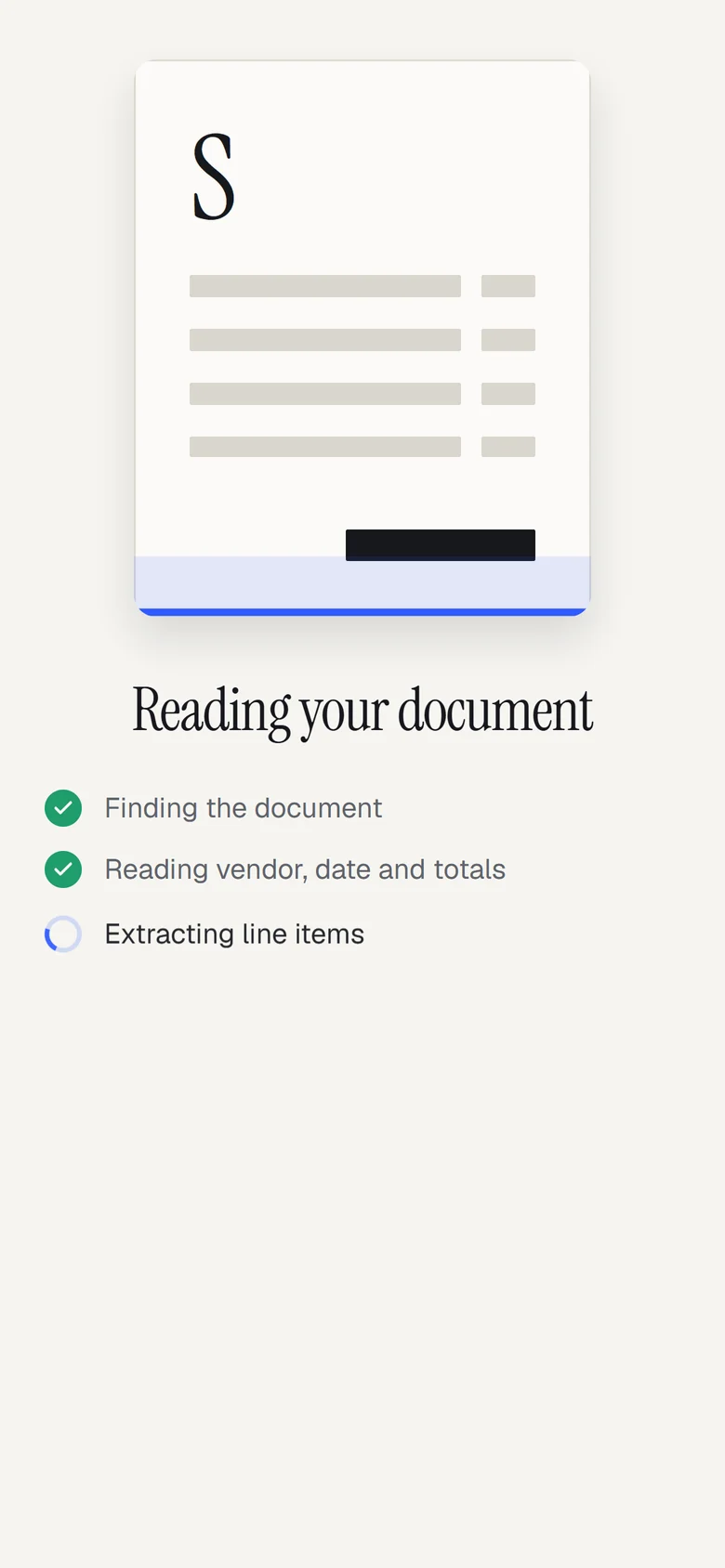
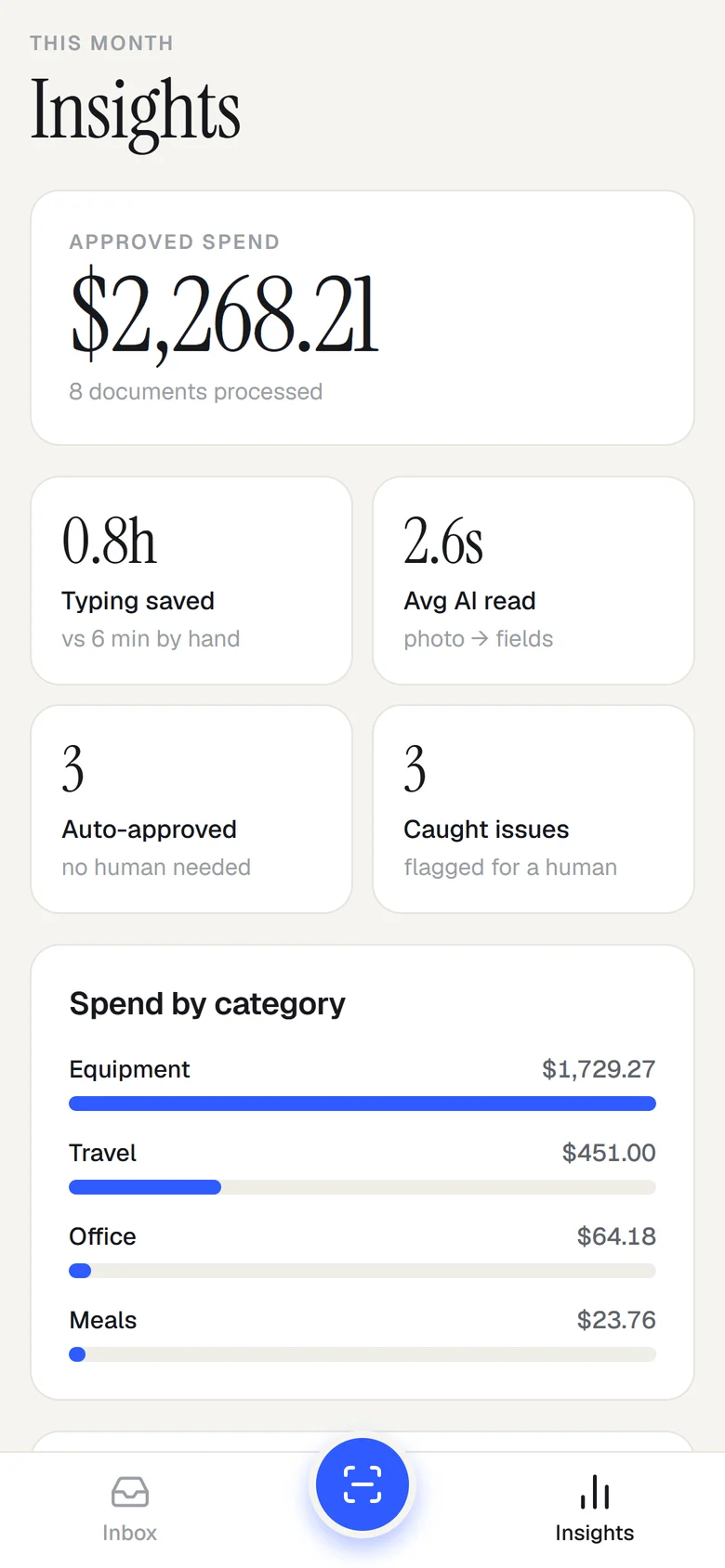
Paperflow runs in demo mode by default with realistic sample documents, so anyone can try the full flow without an account. Pointing it at its server switches extraction to Claude.
Every field shows how sure the model was. Anything under 80% is tinted and raises a check, so people spend their attention where it's needed instead of re-reading everything.
Correct a total and the maths, duplicate and limit checks run again immediately. The approver always sees the state of the document as it is now, not as the AI first read it.
The app sends a resized photo to a small API, and only the server talks to Claude. A phone app can be unpacked; a secret inside it isn't a secret.
A portfolio app nobody can try is a screenshot. Sample documents, a "try a sample" button and seeded data mean a visitor sees the whole flow in under a minute.
Policy reads like policy. A client can change the threshold without touching the AI, and every auto-approval leaves a line in the activity timeline explaining why.
const clean = checks.every((c) => c.status === 'pass');
const auto = clean && x.total < POLICY.autoApproveUnder;
// auto → 'approved' + "Auto-approved (under $75, all checks passed)"
// else → 'pending_approval' + "Routed to you for approval"
Back to the start · 01 / 06
A growth systems agency website that makes three services read as one machine.